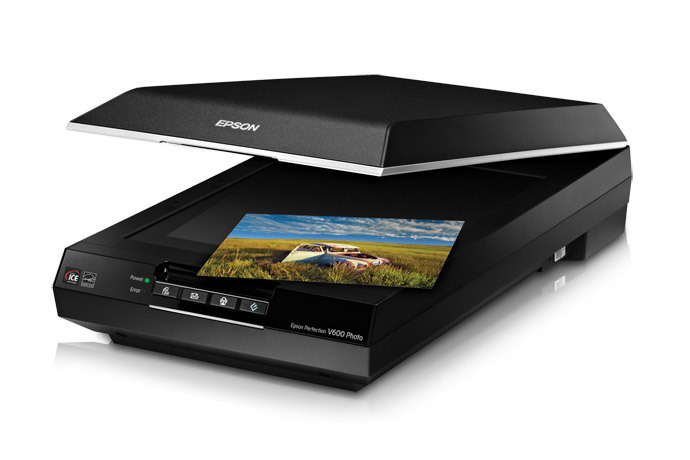
99% of the images that I share are via this blog digitally. I have a Fuji X-T5 (lucky me!), which I use too little, so why shoot film, if I am essentially using digital images? Good question! The answer is simply, I like film. I like and prefer the experience of handling, shooting and developing film. In a perfect world I would have a darkroom suitable for printing, make prints, and scan those. I don’t live in that ideal world. I have and use an Epson V600 scanner that will scan any size image on 120 film and 35mm, both B/W and colour, negative or reversal. As such it inverts the image for me if needed, the software works, and with a slight tweak here and there, often just in Windows 11’s editor, I’m done.
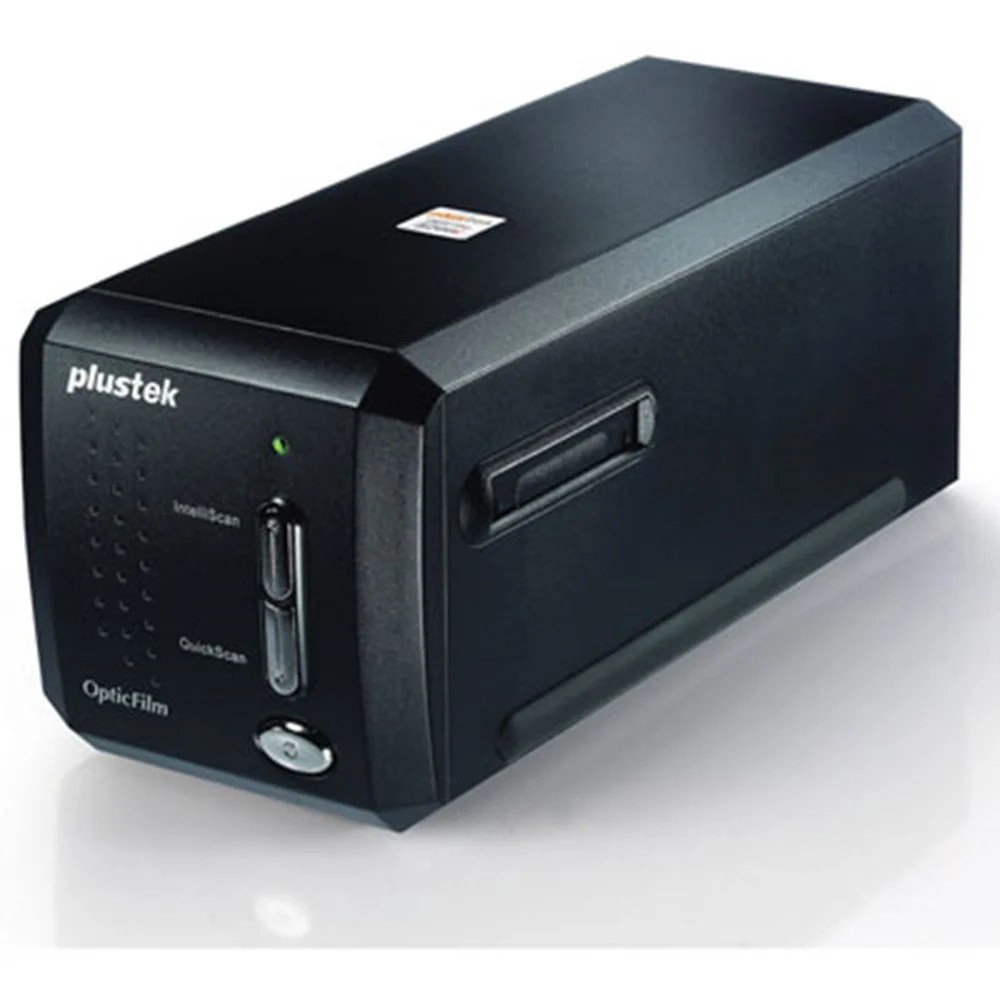
Before I purchased the V600 I treated myself to a Plustek 8200 scanner. It can produce better scans but it’s only 35mm. I would happily be using it for 35mm if not for the other issue which is that the software provided is beyond awful – it’s appalling, completely un-useable, at least for me. Why would I need to know the luminance of a given pixel but not need simple contrast control? Ridiculous! Having been completely put off by it’s massively over complicated software that seems incapable of offering simple controls, I’ve boxed it up and put it in the loft. I then purchased the Epson. Problem solved.
B/W results I’m happy with (for blog use), I struggle with good colour. This is partly as my “owned” version of Photoshop Elements will not load on my current laptop. I haven’t owned a “tower” for years! This laptop is joking know as “laptop the 3rd” -attempting to load said Photoshop Elements completely crashed the first machine to the point where even the Curry’s tech guys couldn’t solve it so they gave me a new machine! Repeat. They gave me a third machine, which I’m using now, and threw the Photoshop discs in the bin. Curry’s 10/10, Adobe 0/10. I don’t feel inclined to pay them monthly. When needed I now use Gimp. It’s free, it seems to do everything that Adobe does, the only down side is that the design brief was obviously “make it as muddled and confusing as it’s possible to make it”! Cost (as it’s 0) 11/10 – Features 10/10, Interface with a human that’s used other image editing programmes – 0/10.
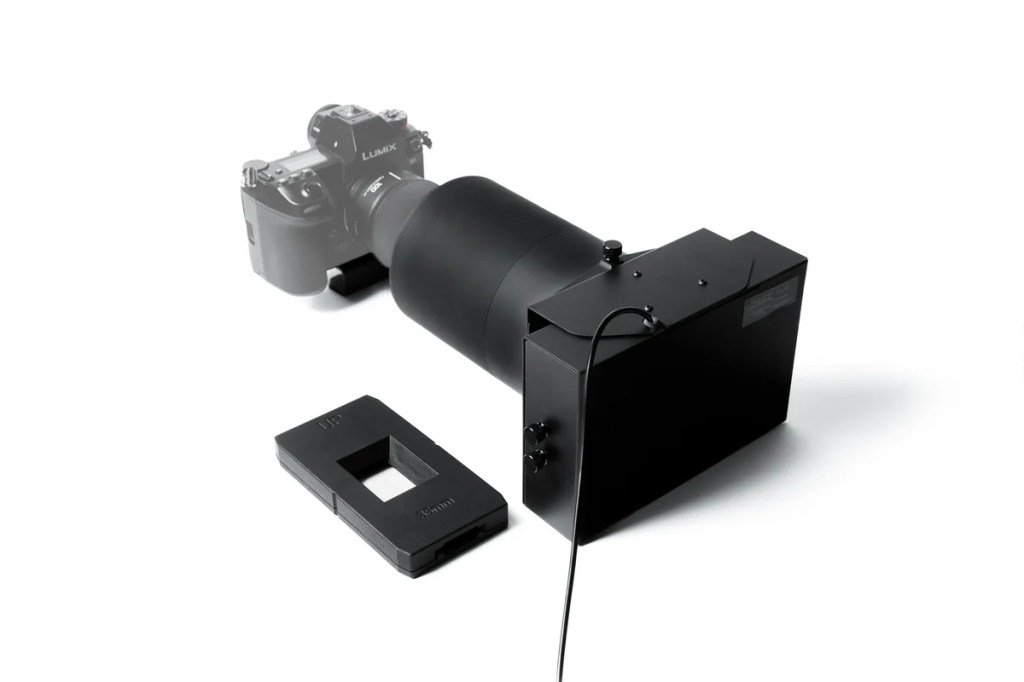
When it comes to colour film work, pretty much all of the images I see online that I like have been edited through Negative Lab Pro. That likes a flat scan of a negative, in other words, not inverted. Camera scanning seems to be the way forward for most, and a company called Valoi seem to have the answer. Think slide copier for the 2020’s! They make a 120 version (left) that can also be used for 35mm. It’s quicker than a scanner, generally sharper than a scanner, and yields better results than a scanner. I had a passing interest in this until I discovered that Negative Lab Pro, is essentially a plug in for Lightroom.
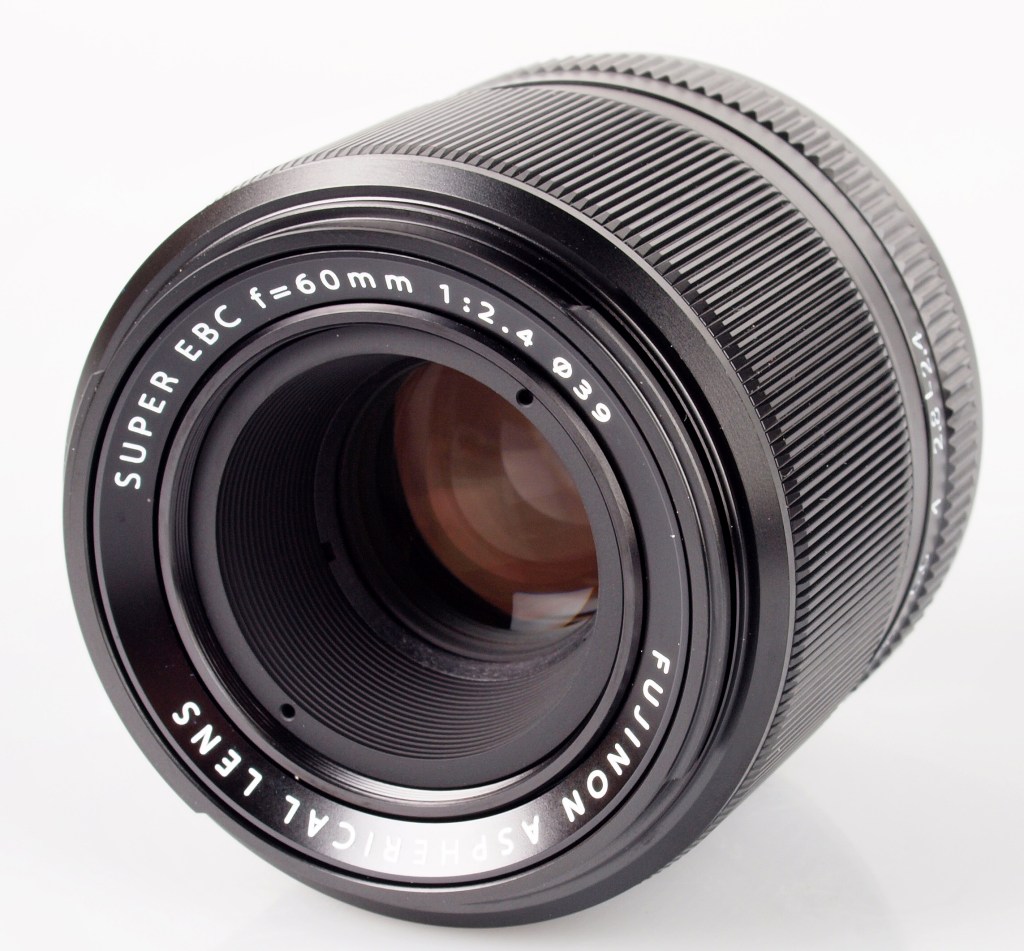
It’s recently been pointed out to me (Thanks Dave!) that there is talk of a “stand alone” version of “Pro”. I’m happy to buy software, I just don’t want to sign up for a monthly cost! So that would re-kindle my interest in Valoi. A slight further issue then arises – that my macro lens (right) is not the ideal match, it’s closest focus is too far, even with all the tubes supplied added together, neither would the image fill the frame, although I think I’d have plenty of pixels to be able to crop!
So this combination of XT-5, XF60mm Macro Lens, Valoi 120 “slide copier” and a stand alone version of Negative Lab Pro MAY turn out to be my final answer! May!
or… I may just do black and white film and digital colour!
or take up gardening 🙂


Gardening! Photographys loss will be gardening’s gain
LikeLiked by 1 person
You’re too kind! Green fingers instead of “hypam” black finger nails – I suppose I could combine the two and have a good “Wicked” look for Halloween! 🙂 Cheers Andy
LikeLiked by 1 person
I bought a new Nikon Coolscan 5000ED from Cecil Jacobs in about 2008 I think, it was one of their sales and at a great price (I couldn’t resist) The NikonScan software is quite intuitive, although it’s not supposed to work with windows 10, but in compatibility mode it does with just the occasional freeze. For 120 I use an Epson V750 and the EpsonScan software, a bit trickier to get the colours looking OK compared to the Nikon.
LikeLiked by 2 people
Hello! My first film scanner was a Minolta, and that did a good job, but by today’s standards painfully slow! Good machine though! In many ways similar to the Plustek. I have to say scanning is not my favourite part of the hobby, but using the Epson is fine, and I’m happy with the black and white. The optics are a tiny bit soft, but 1 level of sharpening sorts that! It’s the colour I have issues with, I think I’m getting to the point where generally I’ll do black and white film, and colour digital. The scanning issue is one part, but also the cost of film and lab developing. I’ll decide when I’ve used up all my colour stock in the fridge! (Which will be a time!) – Cheers Andy
LikeLike
Hi Andy,
If you don’t mind paying for it, then VueScan (https://www.hamrick.com/) is a good piece of scanning software. It will do inversions (although how satisfactory these are is up for debate) as well as output RAW DNG scans for inversion elsewhere. It will work with your Plustek and your Epson. It’s what I use for scanning my medium format film still.
For non-Adobe reliant inversion options there is Darktable (https://www.darktable.org/) which has a negative inversion module called Negadoctor (https://docs.darktable.org/usermanual/development/en/module-reference/processing-modules/negadoctor/).
There’s also Rawtherapee (https://rawtherapee.com/) which also has a film negative inversion tool I believe.
I’ve not used either of these as I’m stuck in the Adobe subscription and have Negative Lab Pro, but I expect they will be better than using scanner inversion software.
Trying to get satisfactory colour negative scans is a bit of a journey, and one I’ve been on for years now!
Good luck!
Nige
LikeLiked by 1 person
Hi Nige! Hope you are keeping well! Thanks for such a detailed reply, I’ve just looked at the Vuescan software, or rather a quick you tube tutorial on using it – that seems like the answer possibly for both scanners! I was just about to press the button selling the Plustek scanner, I never use it due to the software as mentioned – I’ll pause that until I’ve looked into Vuescan further. The other option is to go the Valoi/Neg Lab Pro route. I have time to think it through, what I have already works, it’s just not ideal, and colour is a challenge to get “right”! – Cheers and best – Andy
LikeLiked by 1 person
I use the Plustek for my 35 mm with VueScan software – and the Epson V600 just with the Epson software provided.
LikeLiked by 1 person
Hello! Vuescan seems to be the way forward, I’m going to research it further! I’m ok with the results that I get from the V600 for black and white – I struggle to get colour results I like. I also find that the V600 optics aren’t as sharp as they could be, but 1 level of sharpening sorts that! Vuescan could also bring the Plustek back into action! Best regards Andy
LikeLike
Hi Andy,
Thanks for the detailed post on scanning.
As far as climbinng the Eiffel tower is concerned, I really enjoy the chemistry and mechanics of film – Over the past few days I have developed hald a dozen films (some exposed and embarrasingly long time ago – although one was shot by my late father. I’m guessing around 1998? 😮 ). I think I’m hooked again after a long hiatus. Mixing up developers (I have three on the go already, Perceptol for the slow films, Microphen for the fast and PC-TEA for anything I think my be a waste of the expensive stuff 😉 Sending a film to a lab would cut out one of the best bits of the process, for me. I could pretend ‘I need the artistic control’ or something, but I suspect I just like messing with chemicals, a bit of fun that probably started in my childhood with a chemistry set for Christmas.
So – developing and scanning it is – for now at least. I still have a fully equipped darkroom with three enlargers (35mm, medium format and a De Vere 10 x 8 for the big stuff…) Not used any of it for probably… ten years? But, it is all there if the whim takes me. I bet the paper has gone foggy, though 😦
I’ve looked into getting a scanner, such as your V600 and – they are no longer available. I found a few sites that still list them (or the later models) but they are all ‘Currently unavailable’ or ‘Out of stock’. It seems to be second hand or nothing. Plustek scanners are still available, along with a few similar designs – but they tend to be 35mm. I have shot in the past, and hope to shoot in the future, a lot of medium format. Dedicated medium format capable scanners are ludicrou$ly expe$sive!!! This is all limiting my options, somewhat!
Like you, I have looked at the Valoi offering. Not scanners, just widgets to enable negatives to be copied with a digital camera. I’ve read a lot of reviews and one criticism of the Valoi Easy 35 or Easy 120 that keeps cropping up (enough times to bother me) is that they are not very good at holding the negative flat. This is not helpful with 35mm, but could be a real problem with 120 roll film. For this reason the 360 system looks like it might be a better bet, as it looks like it has a different arrangement for holding the film and there are more widgets included in the basic kit. It would sit nicely under one of my enlarger stands, too, which I have a camera mount for – so it might work out and give me the option of covering a big range of formats with a DSLR and a macro lens?
Software wise – I currently use DigiCamControl when copyting documents and photographs which is free and has some functionality that would allow it to capture negatives and invert them. I also use IrfanView – another freebie that can edit, crop and invert images. Not sure either are ideal for digitising negative, that isn’t their primary purpose – but they are well equipped with features and there is no subscription. I am happy to pay for stuff, but like you I am very adverse to the ‘subscription model’ that is being forced on us for just about… everything.
LikeLiked by 1 person
Hi Steve!
An 8×10 DeVere! That’s a beast! Apart from winning the lottery (!) Why not shoot 8×10 and print 16×20’s!! 🙂
Yes, I totally agree about developing etc. I can’t really pretend any artistic reasons, I simply enjoy shooting film, developing it – I still get that buzz unrolling a length from the dev tank, and while I’m no chemist for sure, I enjoy mixing up the odd developer. I think the “Eiffel Tower” comment was more a realisation that for many people they don’t seem to bother with prints or buying scanners much, just have scans from the lab. You’d be surprised how many choose the “dump the negs” option, and not all young! Personally I have a large suit case full of files of negs covering 40+ years, do I ever use them though??
I’m erring towards a copy stand, photographing my negatives with a DSLR, with a masked light box and perhaps a negative carrier. Then a stand alone version of Negative lab pro. That will enable me to “scan” negs up to 8×10 if I ever need to!
I’m also thinking that a “step change” in the way I think about scanning may be an idea, by which I mean, the general comment seems to be about scanning a whole roll of film, editing and correcting as quickly as possible. Thing is we wouldn’t do that if printing, we’d carefully choose what image we were going to print, make a test, first print, then a corrected print, and maybe even a third to “get it right”. Point being I’ve spent an entire evening in a darkroom getting two good 8×10’s – perhaps I should be happy with two good “Tiffs” an evening?
For me it’s an evolving situation – if and as and when I try anything new, I post it here!
Cheers and best – Andy
LikeLike
Your answer to “why shoot film if it all ends up digital” is the honest one: you simply enjoy it. The comparison of scanning setups was useful too, especially that no single method suits both 35mm and 6×6. I mostly work with digital and generated images at bananaimg.net, and this reminded me how much of a photo’s character is decided at the scanning stage.
LikeLike
Hello! thanks for your comments! Glad you found my thoughts on scanning useful – I’ll do another post when I come to any conclusion, although don’t hold your breath, I may take a while! Best wishes – Andy
LikeLike